

 Nouvelles
Plugin WordPress d'annuaire de cartes SVG
Il y a quelques semaines, nous avons créé un plugin WordPress permettant d'afficher des cartes SVG sur votre site web immobilier, de petites annonces, d'annuaire d'entreprises ou tout autre site d'annuaire.
Vous pouvez importer les cartes nécessaires. Le plugin prend en charge plusieurs cartes simultanément, les liens de recherche des sous-cartes et d'autres fonctionnalités populaires.
Le plugin WP Directory Kit est requis pour utiliser des cartes SVG sur votre site web WordPress Directory.
Lien vers le plugin : https://wpdirectorykit.com/plugins/wp-directory-svg-map.html
Comment utiliser le plugin WordPress SVG Maps ?
- Vous devez avoir installé le plugin WP Directory Kit
- Achetez notre extension WordPress Premium ou abonnez-vous pour bénéficier de toutes les fonctionnalités premium ici : https://wpdirectorykit.com/plugins/wp-directory-svg-map.html
- Installez-le dans Administration > Extensions > Ajouter.
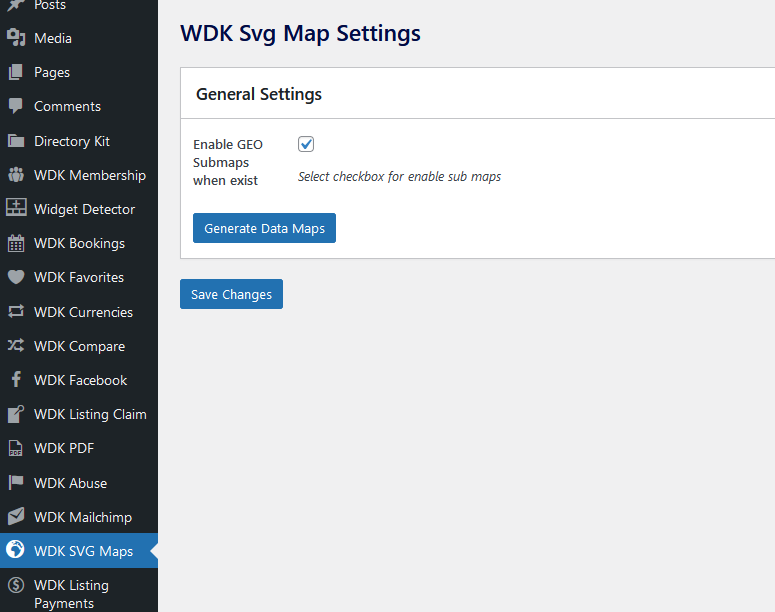
- Vous pourrez modifier les paramètres ici :
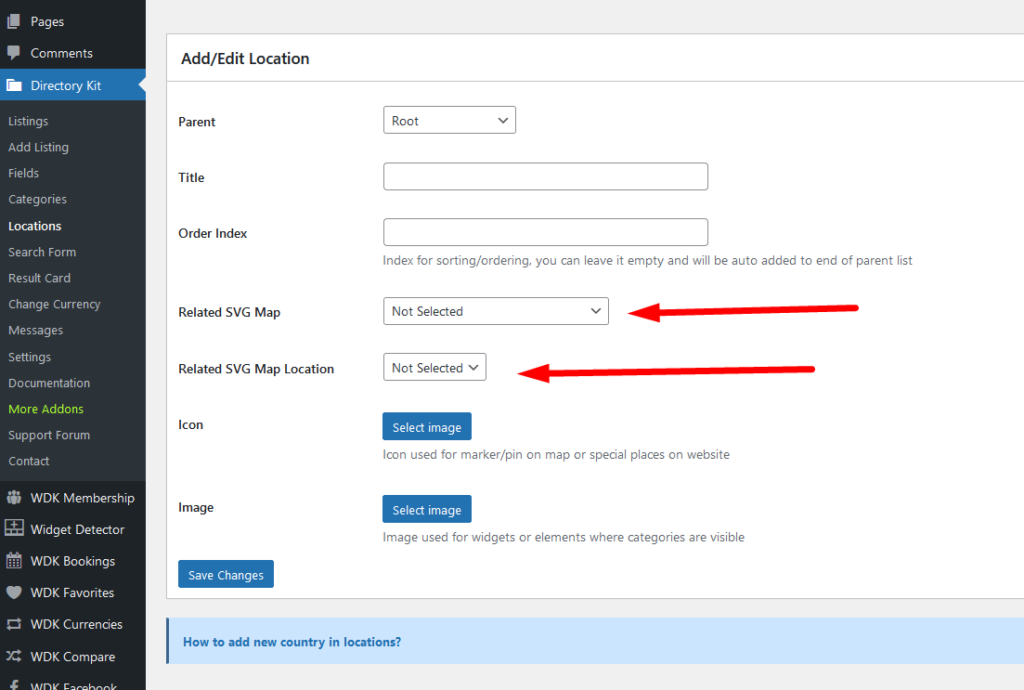
5. Vous pouvez désormais gérer les emplacements généraux dans Administration > Kit d'annuaire > Emplacements. Vous y trouverez ces nouvelles options. Par exemple, si Berlin se trouve en Allemagne, sélectionnez Carte SVG “ Allemagne ” et Berlin comme emplacement.
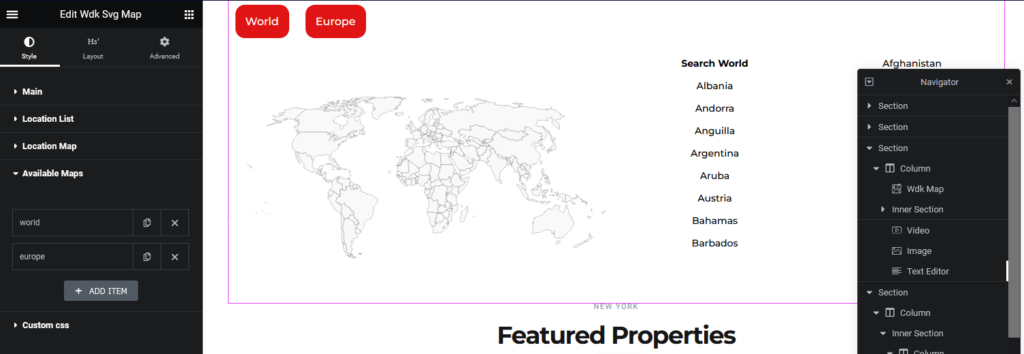
6. Dans l'éditeur Elementor, vous pouvez désormais utiliser l'élément WDK SVG Map. Cet élément propose de nombreuses options SVG, notamment le choix des cartes à afficher et d'autres options de style :
En cas de problème, notre équipe d'assistance sera toujours ravie de vous aider !
Vous pouvez nous contacter ici : https://wpdirectorykit.com/contact.html