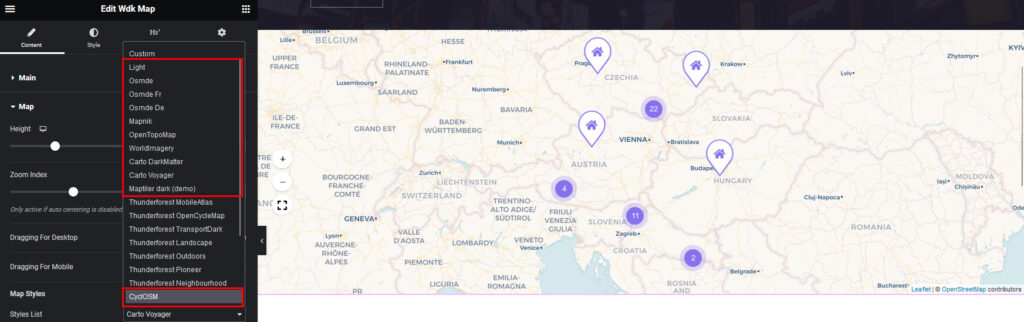
Activa Google Maps y diferentes diseños de mapas gratuitos.
Abre la página en el editor de Elementor, selecciona el widget de mapa y sigue Contenido -> Mapa,
En la lista desplegable hemos añadido diseños de mapas populares.
1. Mapa de Google
- seleccionar en Lista de estilos -> Mapa de Google
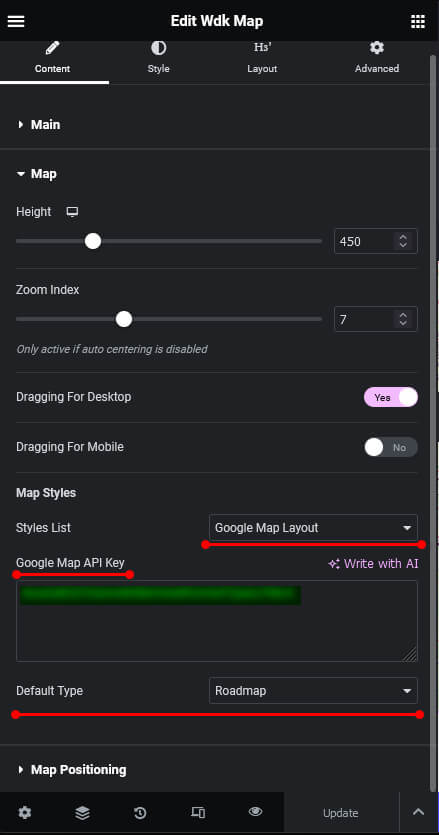
Para obtener la clave API de Google Maps, siga el siguiente enlace:
https://developers.google.com/maps/documentation/javascript/get-api-key
Puedes configurar el tipo de mapa de Google predeterminado:
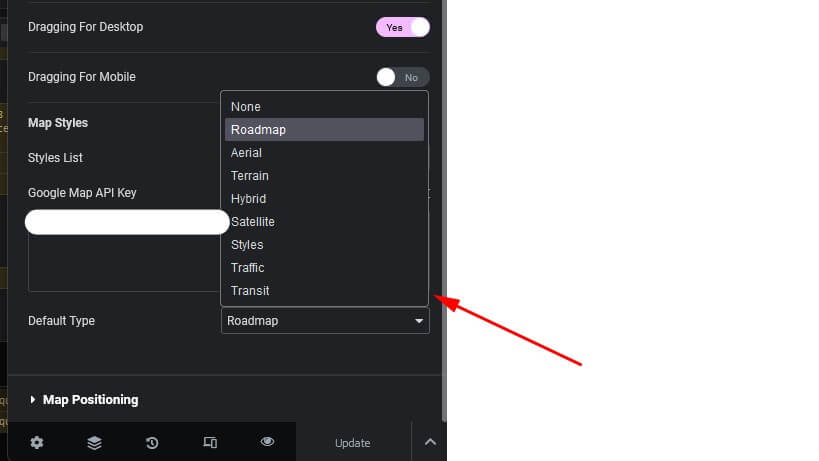
En la interfaz, el visitante también puede cambiar el tipo:
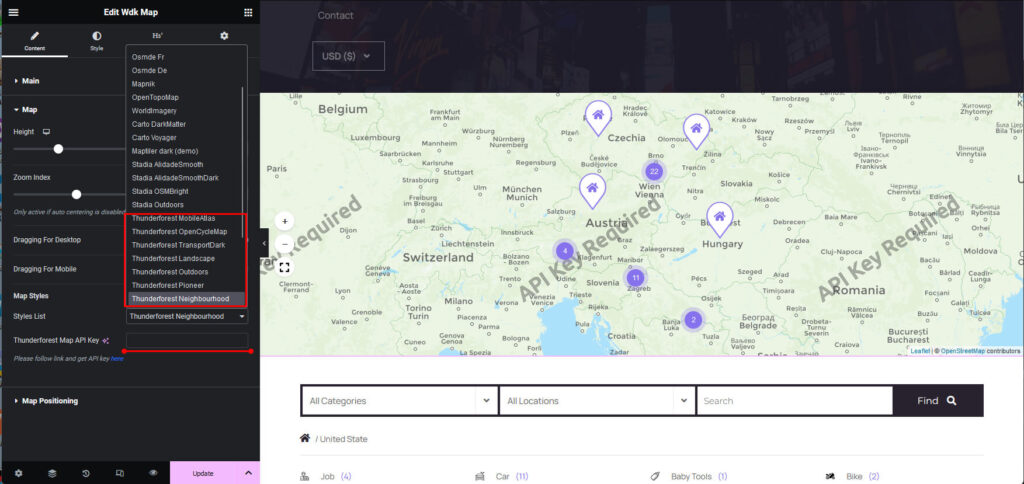
2. Mapa de Thunderforest (incluye plan gratuito, sin tarjeta, registro sencillo)
Precios: https://www.thunderforest.com/pricing/
Puedes previsualizar el mapa en tu sitio web y luego, si el plan lo permite, obténlo e introduce tu clave en el campo especial.
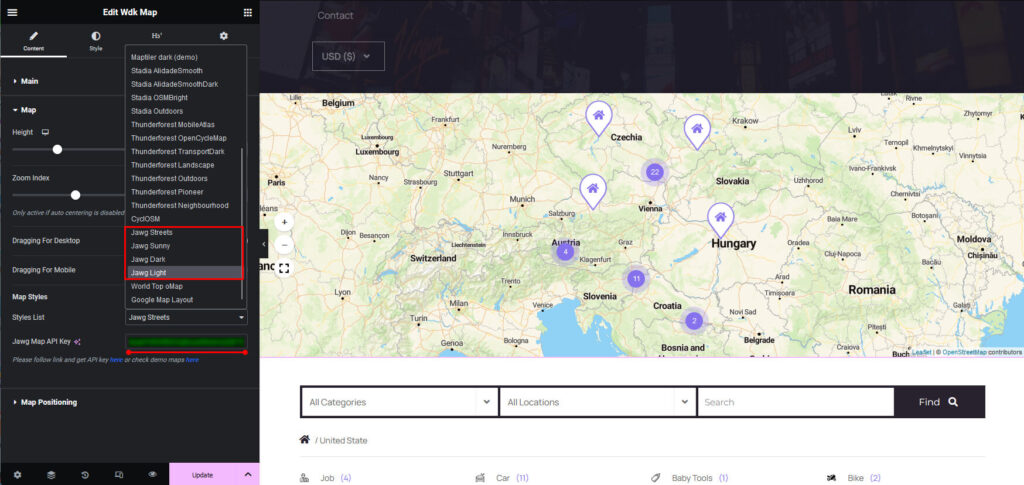
3. Mapa de Jawg (incluye plan gratuito, sin tarjeta, registro muy sencillo)
Precios: https://www.jawg.io/en/pricing
Enlace de demostración con estilos de mapa: https://www.jawg.io/en/maps
Previsualiza el mapa en el enlace de demostración y luego, si el plan lo permite, usa "obtener" e introduce tu clave en el campo especial.
4. Añadir más diseños personalizados
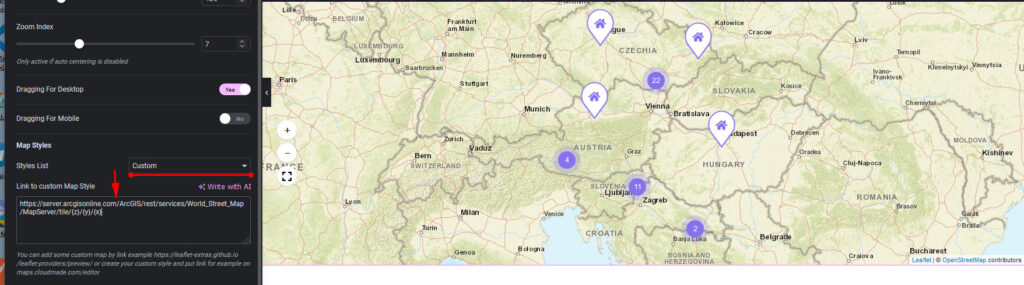
Ejemplo de fuente (o puede ser cualquier otro enlace con estilo para mapa leaftet): https://leaflet-extras.github.io/leaflet-providers/preview/
Seleccione en Lista de estilos -> Personalizado, luego en el campo especial coloque el enlace al estilo de mapa personalizado, por ejemplo
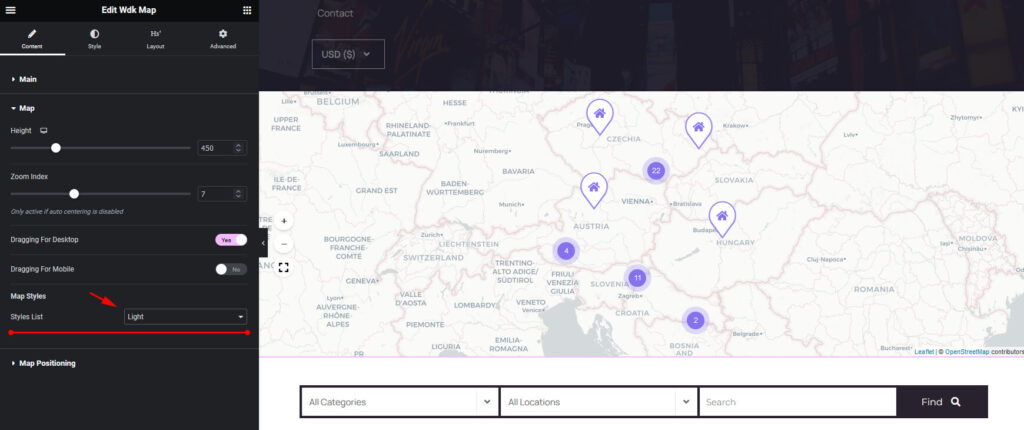
5. Diseños de mapas gratuitos (sin claves)
Seleccionar en la lista de estilos