Traduisez WPDirectoryKit avec TranslatePress
Le plugin WordPress “ TranslatePress ” est idéal pour les traductions automatiques et permet également les traductions manuelles.
TranslatePress vous permet de traduire les chaînes de texte intégrées en dur dans le code de votre site web, telles que les boutons, les étiquettes et autres éléments d'interface, et est testé avec WP Directory Kit.
Pour utiliser ce plugin, vous devrez suivre quelques étapes :
Vous pouvez acheter la version TranslatePress Pro ici : https://translatepress.com/?ref=531
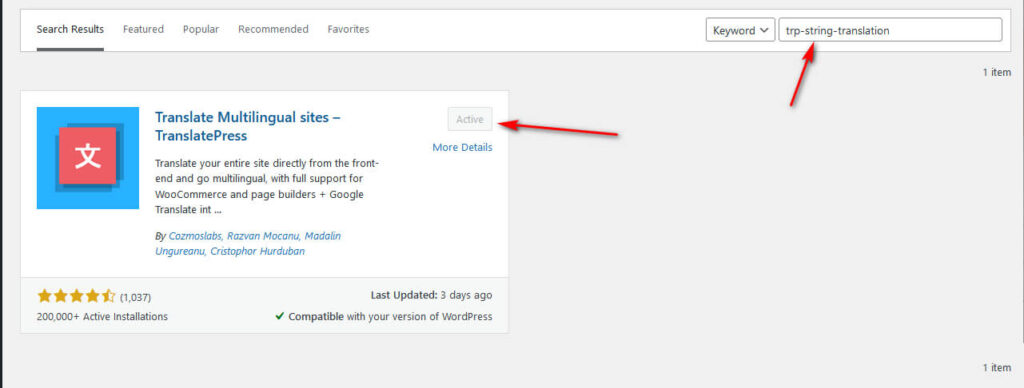
1. Installez-le sur votre site WordPress, activez-le, puis configurez-le pour qu'il fonctionne avec TranslatePress.
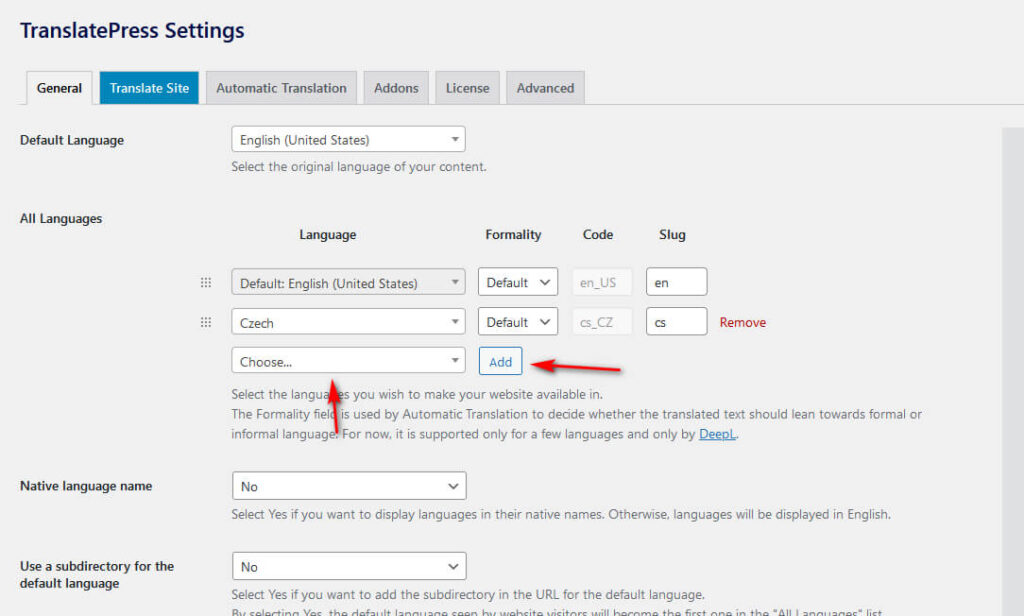
2. Ajouter de nouvelles langues :
- Accédez à l'onglet “ Général ” dans les paramètres de TranslatePress
- Sélectionnez la langue que vous souhaitez ajouter dans la liste déroulante.
- Cliquez sur le bouton “ Ajouter ” et enregistrez.
3. Une fois cette étape terminée, vous pouvez commencer à traduire les chaînes de texte de votre site dans différentes langues. Pour ce faire, accédez à l'éditeur de traduction dans la barre supérieure ou le menu d'administration de TranslatePress.
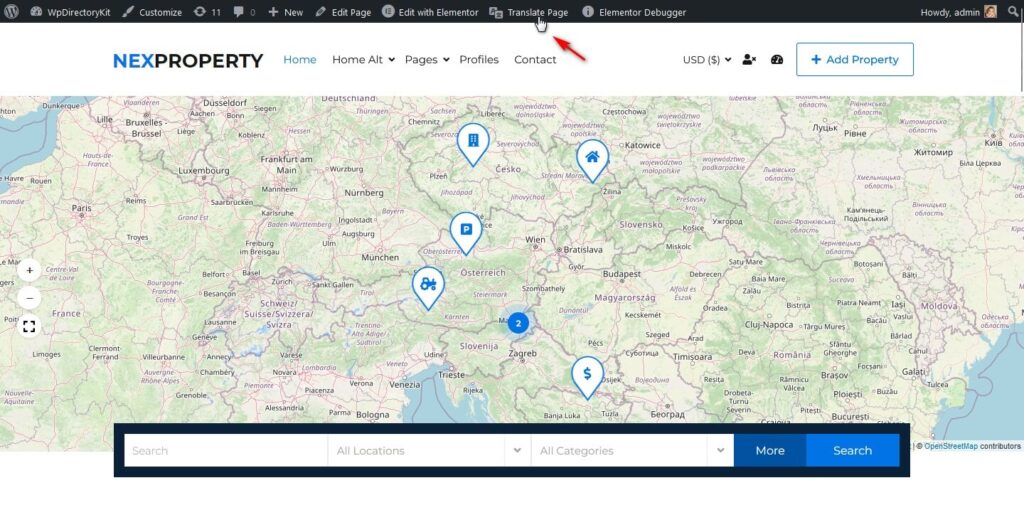
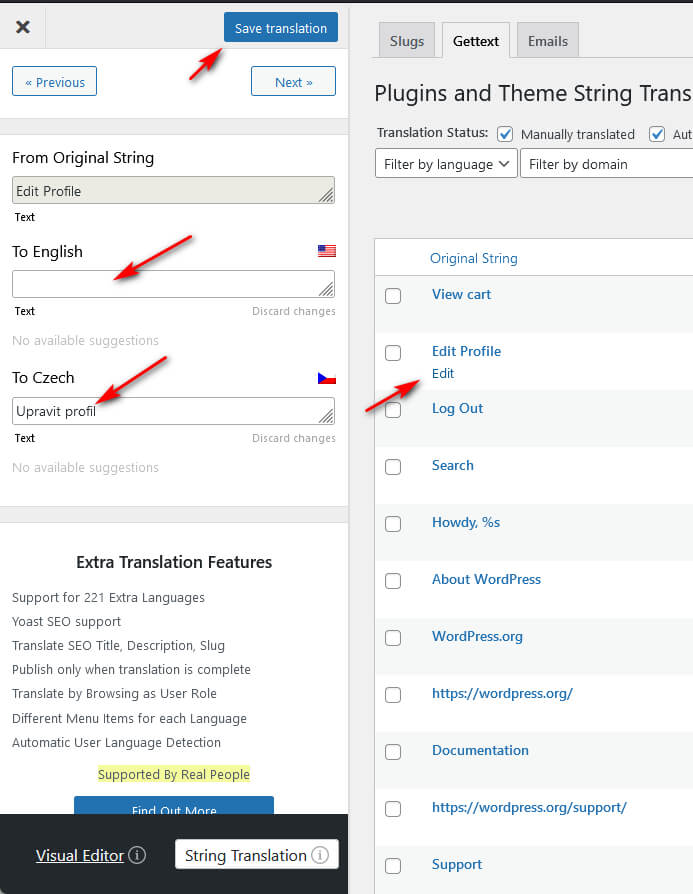
4. Trouvez les chaînes de caractères et traduisez-les.
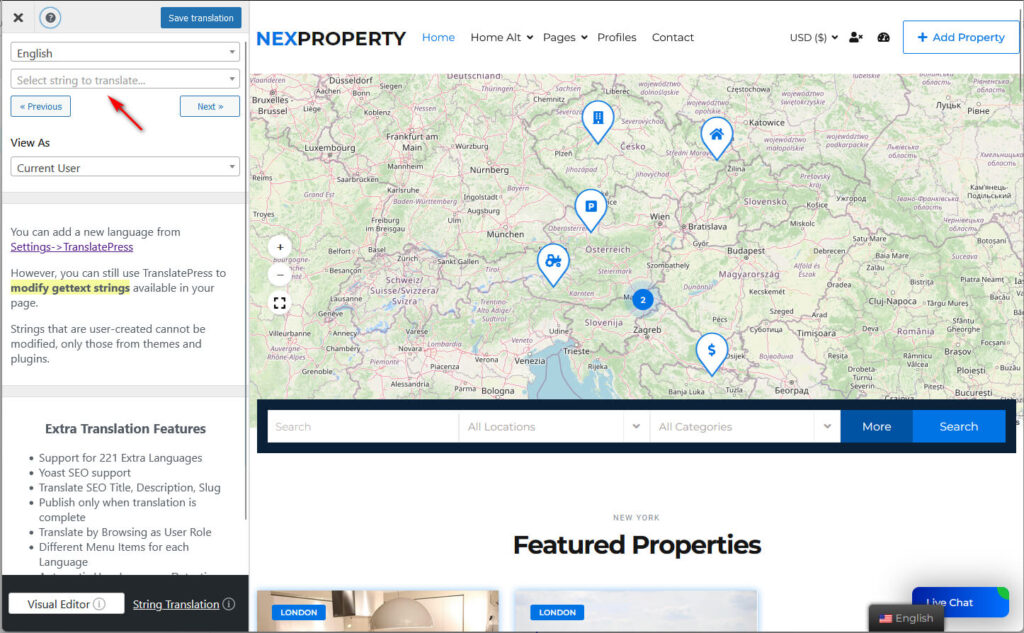
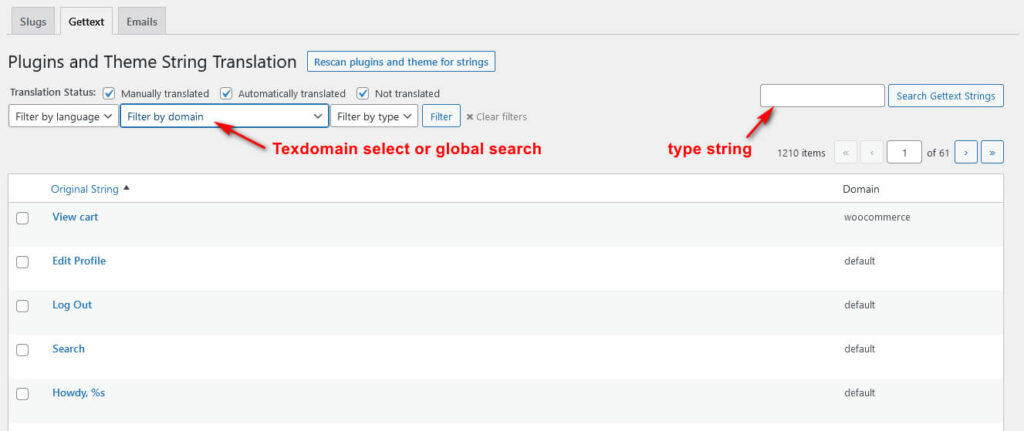
5. Si vous ne trouvez pas la sting, veuillez ouvrir “ Traduction de la sting ”.”
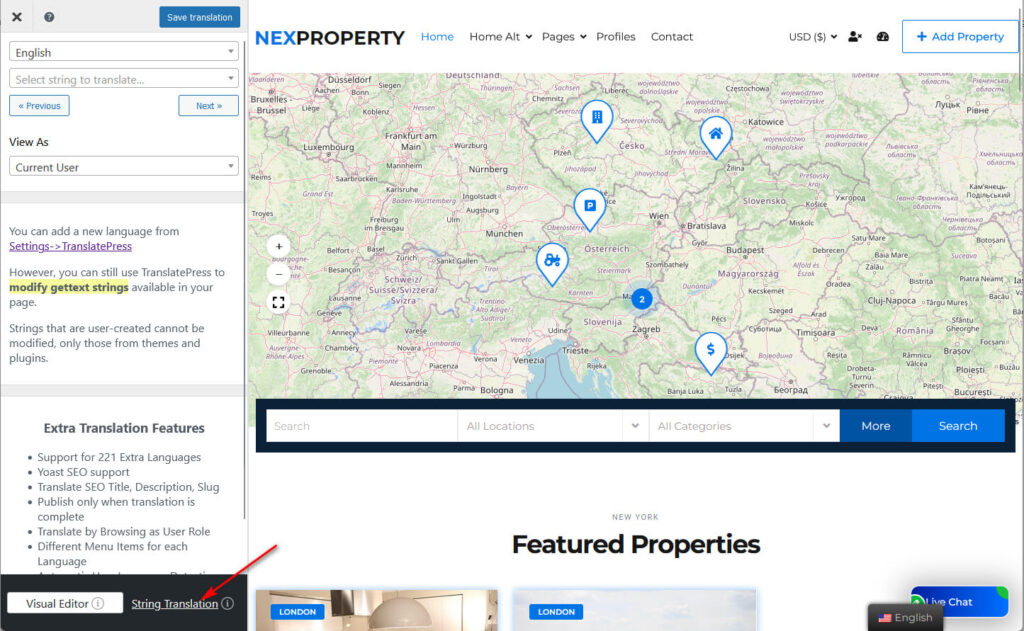
5. Les filtres peuvent vous aider à trouver votre chaîne de caractères, puis à la traduire :