TranslatePress ਨਾਲ WPDirectoryKit ਦਾ ਅਨੁਵਾਦ ਕਰੋ
ਵਰਡਪ੍ਰੈਸ ਪਲੱਗਇਨ "TranslatePress" ਆਟੋਮੈਟਿਕ ਲਈ ਬਹੁਤ ਵਧੀਆ ਹੈ ਅਤੇ ਦਸਤੀ ਅਨੁਵਾਦਾਂ ਦੀ ਵੀ ਆਗਿਆ ਦਿੰਦਾ ਹੈ।.
ਟ੍ਰਾਂਸਲੇਟਪ੍ਰੈਸ ਤੁਹਾਨੂੰ ਟੈਕਸਟ ਦੀਆਂ ਸਤਰਾਂ ਦਾ ਅਨੁਵਾਦ ਕਰਨ ਦੀ ਆਗਿਆ ਦਿੰਦਾ ਹੈ ਜੋ ਤੁਹਾਡੀ ਵੈੱਬਸਾਈਟ ਦੇ ਕੋਡ ਵਿੱਚ ਹਾਰਡਕੋਡ ਕੀਤੇ ਜਾਂਦੇ ਹਨ, ਜਿਵੇਂ ਕਿ ਬਟਨ, ਲੇਬਲ, ਅਤੇ ਹੋਰ ਇੰਟਰਫੇਸ ਤੱਤ ਅਤੇ WP ਡਾਇਰੈਕਟਰੀ ਕਿੱਟ ਨਾਲ ਟੈਸਟ ਕੀਤੇ ਜਾਂਦੇ ਹਨ।.
ਇਸ ਪਲੱਗਇਨ ਦੀ ਵਰਤੋਂ ਕਰਨ ਲਈ, ਤੁਹਾਨੂੰ ਕੁਝ ਕਦਮਾਂ ਦੀ ਪਾਲਣਾ ਕਰਨੀ ਪਵੇਗੀ:
ਟ੍ਰਾਂਸਲੇਟਪ੍ਰੈਸ ਪ੍ਰੋ ਵਰਜ਼ਨ ਲਈ ਤੁਸੀਂ ਇੱਥੋਂ ਖਰੀਦ ਸਕਦੇ ਹੋ: https://translatepress.com/?ref=531
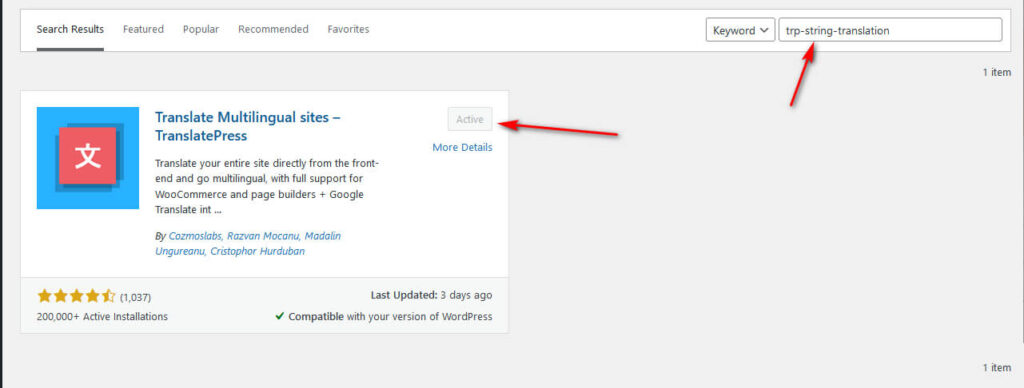
1. ਇਸਨੂੰ ਆਪਣੀ ਵਰਡਪ੍ਰੈਸ ਸਾਈਟ 'ਤੇ ਸਥਾਪਿਤ ਕਰੋ, ਇਸਨੂੰ ਕਿਰਿਆਸ਼ੀਲ ਕਰੋ, ਅਤੇ ਫਿਰ ਇਸਨੂੰ TranslatePress ਨਾਲ ਕੰਮ ਕਰਨ ਲਈ ਕੌਂਫਿਗਰ ਕਰੋ।.
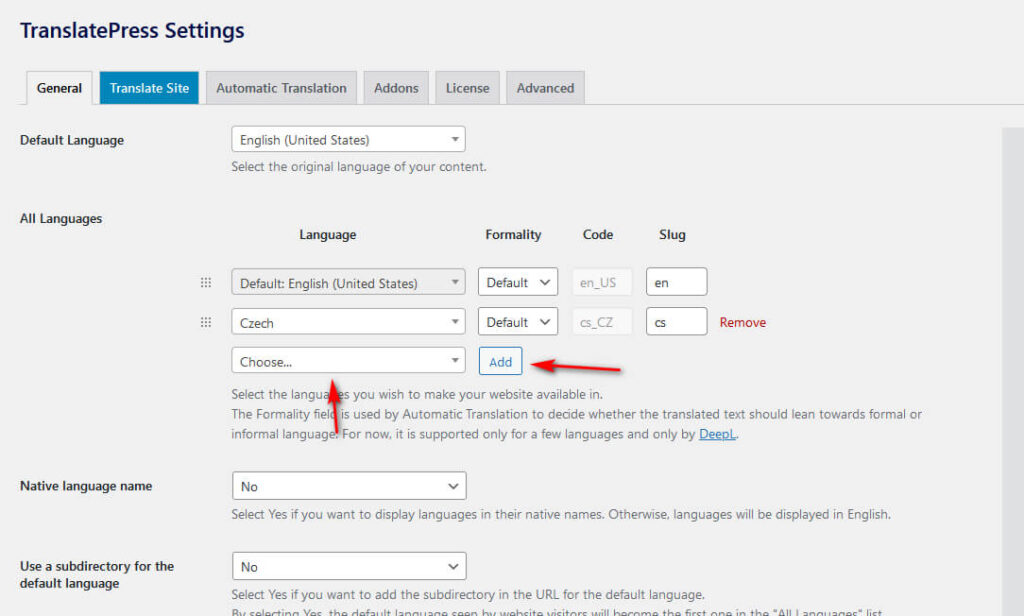
2. ਨਵੀਆਂ ਭਾਸ਼ਾਵਾਂ ਜੋੜੋ:
- TranslatePress ਸੈਟਿੰਗਾਂ ਵਿੱਚ "ਜਨਰਲ" ਟੈਬ 'ਤੇ ਜਾਓ।
- ਡ੍ਰੌਪਡਾਉਨ ਸੂਚੀ ਵਿੱਚੋਂ ਉਹ ਭਾਸ਼ਾ ਚੁਣੋ ਜਿਸਨੂੰ ਤੁਸੀਂ ਜੋੜਨਾ ਚਾਹੁੰਦੇ ਹੋ।
- "ਐਡ" ਬਟਨ 'ਤੇ ਕਲਿੱਕ ਕਰੋ ਅਤੇ ਸੇਵ ਕਰੋ।
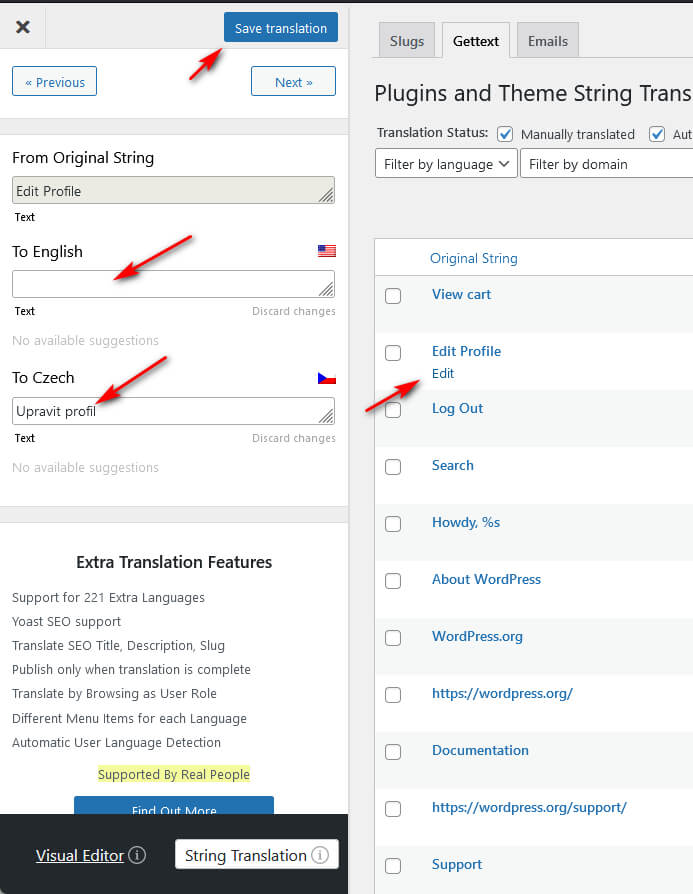
3. ਇੱਕ ਵਾਰ ਜਦੋਂ ਤੁਸੀਂ ਇਹ ਕਰ ਲੈਂਦੇ ਹੋ, ਤਾਂ ਤੁਸੀਂ ਆਪਣੀ ਸਾਈਟ 'ਤੇ ਟੈਕਸਟ ਦੀਆਂ ਸਤਰਾਂ ਦਾ ਵੱਖ-ਵੱਖ ਭਾਸ਼ਾਵਾਂ ਵਿੱਚ ਅਨੁਵਾਦ ਕਰਨਾ ਸ਼ੁਰੂ ਕਰ ਸਕਦੇ ਹੋ। ਸਤਰਾਂ ਦਾ ਅਨੁਵਾਦ ਕਰਨ ਲਈ, ਤੁਹਾਨੂੰ ਟੌਪਬਾਰ ਜਾਂ ਐਡਮਿਨ ਮੀਨੂ ਵਿੱਚ ਅਨੁਵਾਦ ਸੰਪਾਦਕ 'ਤੇ ਨੈਵੀਗੇਟ ਕਰਨ ਦੀ ਲੋੜ ਹੋਵੇਗੀ TranslatePress
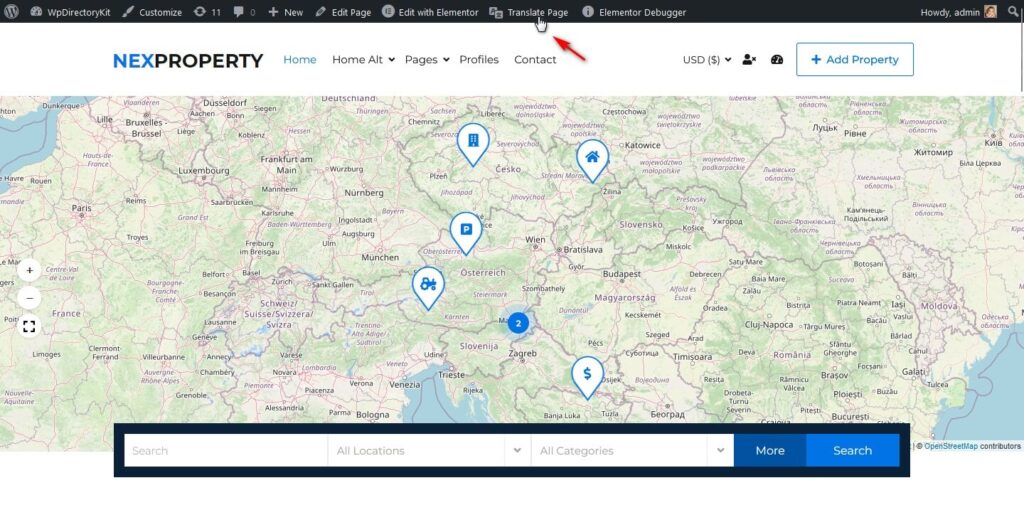
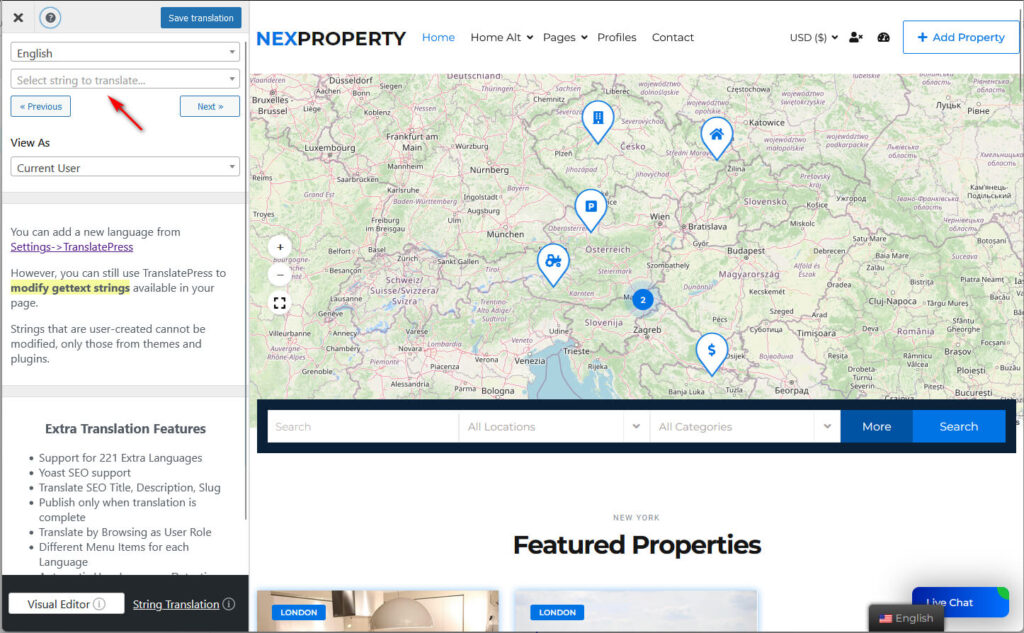
4. ਤਾਰਾਂ ਲੱਭੋ ਅਤੇ ਅਨੁਵਾਦ ਕਰੋ
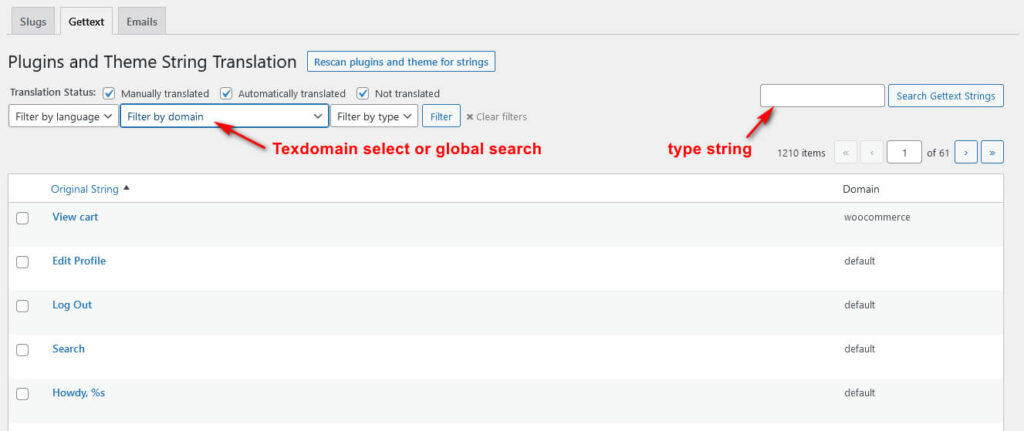
5. ਜੇਕਰ ਤੁਹਾਨੂੰ ਸਟਿੰਗ ਨਹੀਂ ਮਿਲਦੀ, ਤਾਂ ਕਿਰਪਾ ਕਰਕੇ “ਸਟ੍ਰਿੰਗ ਅਨੁਵਾਦ” ਖੋਲ੍ਹੋ।”
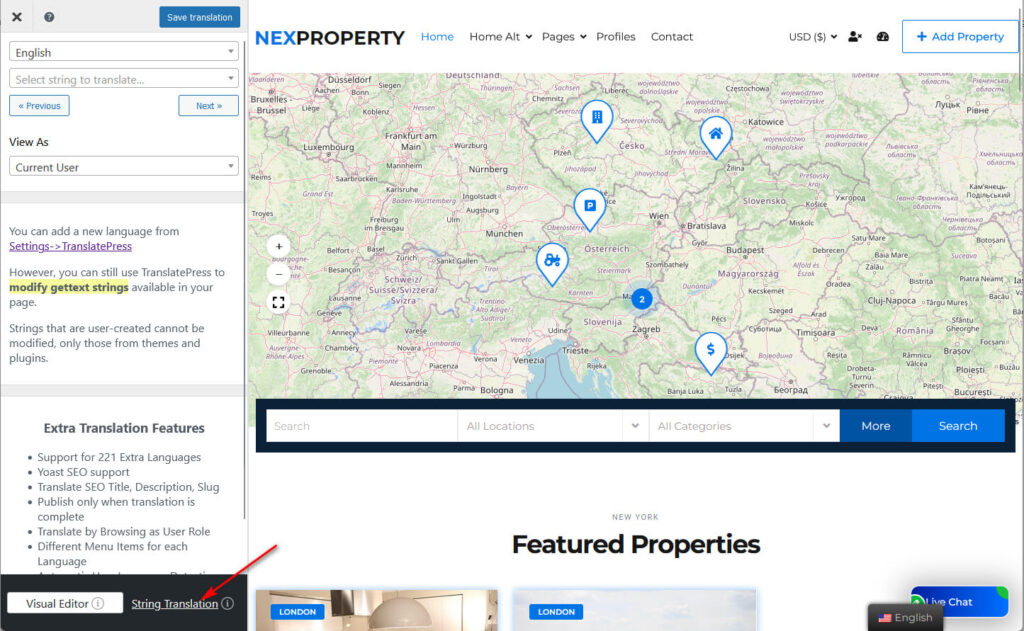
5. ਫਿਲਟਰ ਤੁਹਾਡੀ ਸਤਰ ਲੱਭਣ ਵਿੱਚ ਤੁਹਾਡੀ ਮਦਦ ਕਰ ਸਕਦੇ ਹਨ, ਫਿਰ ਅਨੁਵਾਦ ਕਰ ਸਕਦੇ ਹਨ: