Traduci WPDirectoryKit con TranslatePress
Il plugin per WordPress "TranslatePress" è ottimo per le traduzioni automatiche e consente anche di effettuare traduzioni manuali.
TranslatePress consente di tradurre le stringhe di testo codificate direttamente nel codice del tuo sito web, come pulsanti, etichette e altri elementi dell'interfaccia, ed è stato testato con WP Directory Kit.
Per utilizzare questo plugin, dovrai seguire alcuni passaggi:
Puoi acquistare la versione TranslatePress Pro qui: https://translatepress.com/?ref=531
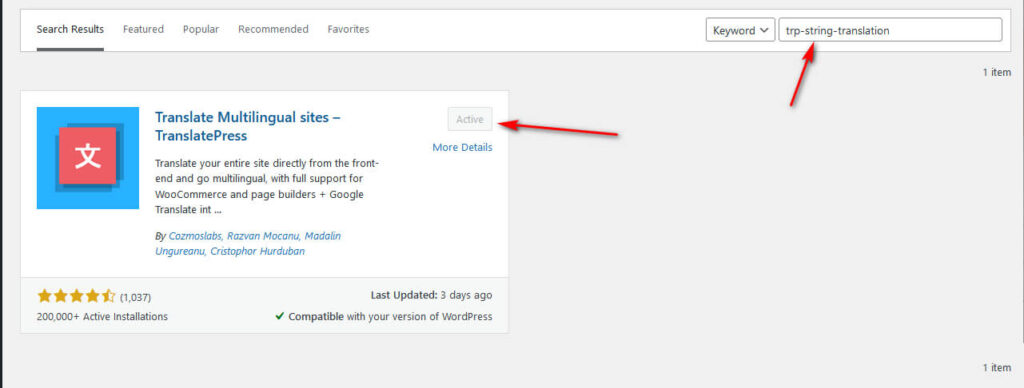
1. Installalo sul tuo sito WordPress, attivalo e poi configuralo per farlo funzionare con TranslatePress.
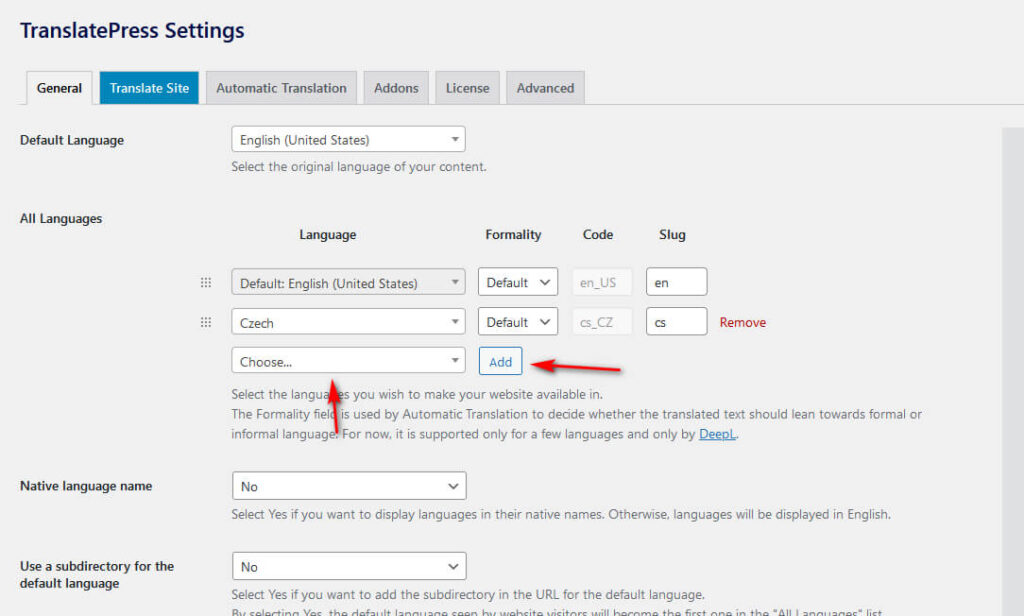
2. Aggiungi nuove lingue:
- Vai alla scheda “Generale” nelle impostazioni di TranslatePress
- Seleziona la lingua che desideri aggiungere dall'elenco a discesa.
- Fai clic sul pulsante “Aggiungi” e salva
3. Una volta fatto ciò, puoi iniziare a tradurre le stringhe di testo del tuo sito in diverse lingue. Per tradurre le stringhe, dovrai accedere all'editor di traduzione nella barra superiore o nel menu di amministrazione di TranslatePress.
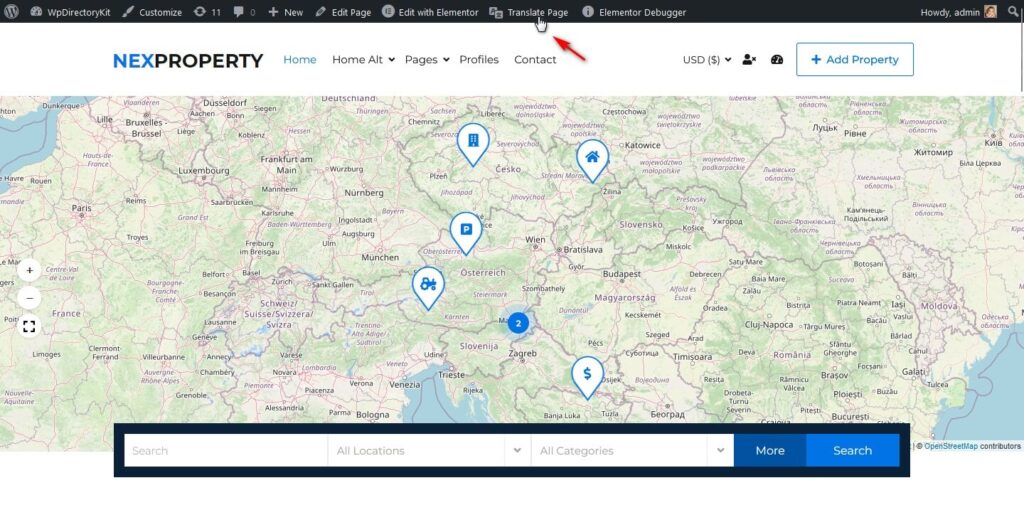
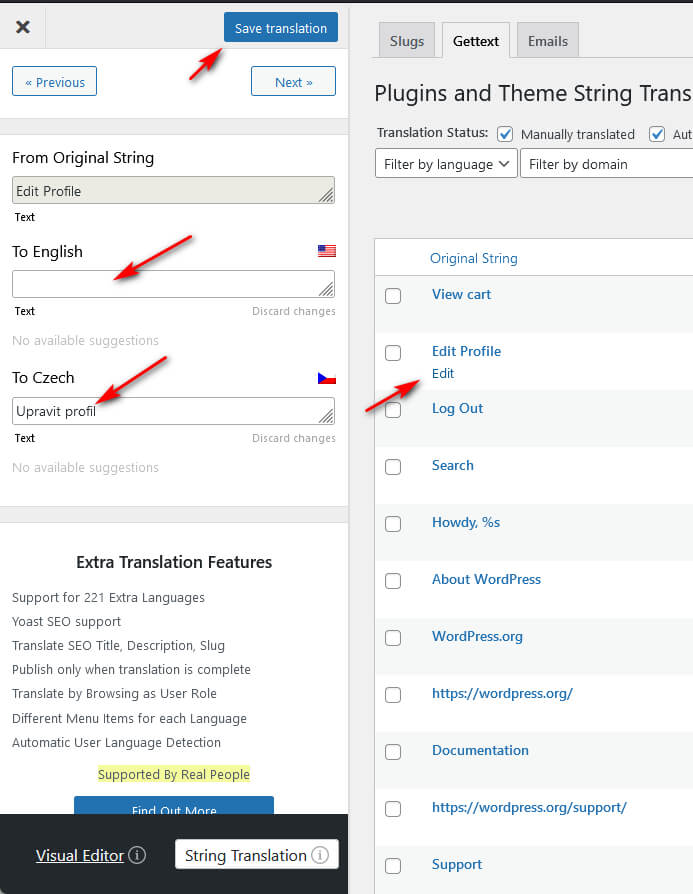
4. Trova le stringhe e traducile
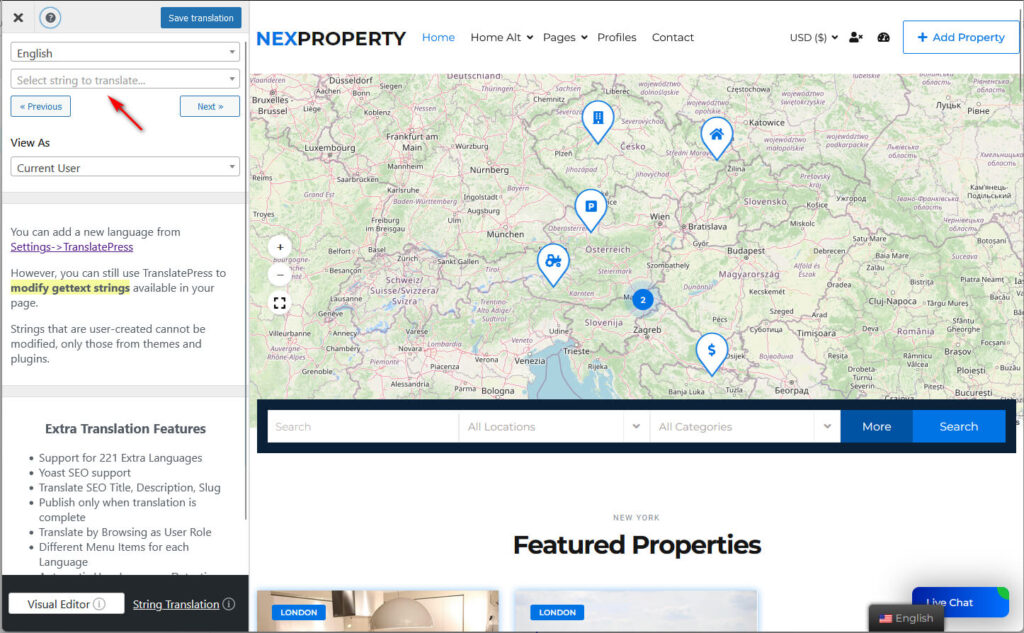
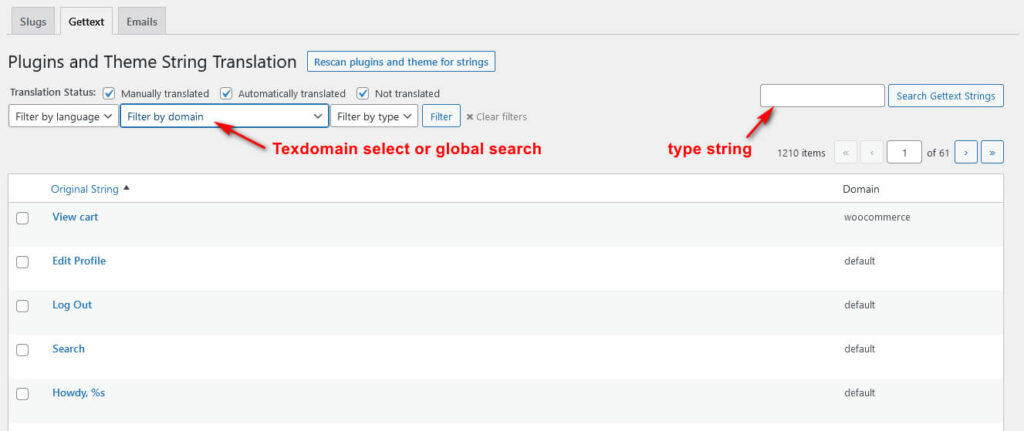
5. Se non riesci a trovare la stringa, apri "Traduzione stringa".“
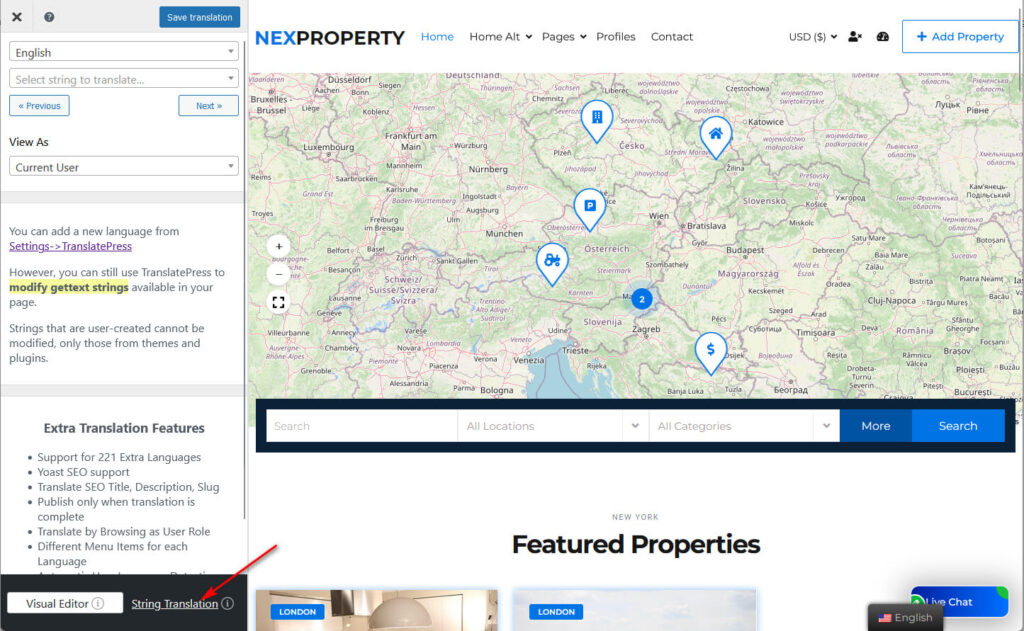
5. I filtri possono aiutarti a trovare la stringa e poi a tradurla: