

How to configure slider on listing preview page?
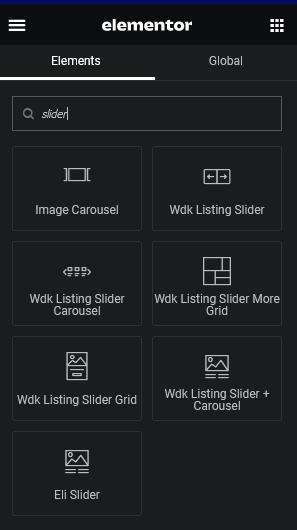
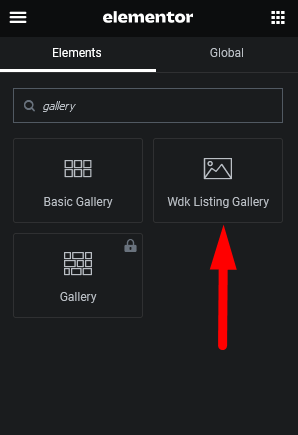
There are many elements which you can use in our Directory Listing Page, from most standard “Wdk Listing Slider” and other like “Wdk Listing Gallery”, “Wdk Listing Slider + Carousel”, “Wdk Listing Slider More Grid”, “Wdk Listing Slider Grid”, “Wdk Listing Slider Carousel”, we will provide some info about every element here.
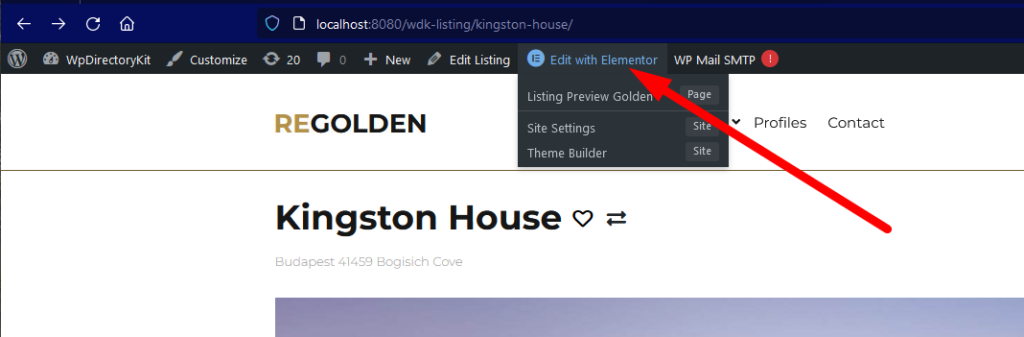
First you must login with admin and open page related, so in this case some listing preview page and edit in Elementor Editor, example:
Generally when using Elementor you can use search in Elementor left toolbox or simply check elements and test it, example search for slider and/or gallery:
 Booking Plugin
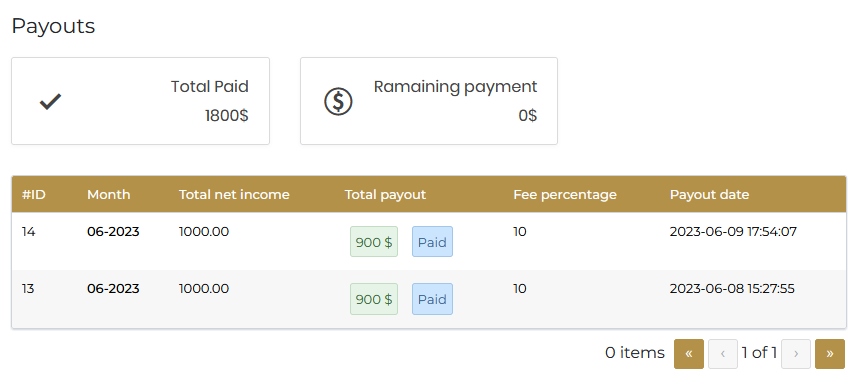
Property owners booking earnings payout
If you using WP Directory Kit Booking Plugin and Membership Plugin You can have feature like AirBNB or Booking.com to payout your owners/agents provision.
Here we will describe how to configure this and earn more money for you and your Property Owners/Agents on Real Estate or similar Directory Portal
(more…)How to replicate Add listing page or other page design in elementor?
Add listing page is part of Membership plugin:
https://www.wpdirectorykit.com/plugins/wp-directory-membership.html
Most simple is to import demo content, or build new installation with demo content imported and then just copy elements from this to existing website.
Other option is to build layout from scratch:
Generally always in such situation you can use plugin like Elementor Widget Detector to detect all elements used on page and layout example:
https://wordpress.org/plugins/widget-detector-elementor/
Or for more simple cases website ElementDetector:
(more…)Conflict plugins with compatibility issues
Page Optimize By Automattic
Page Optimize
Issue with broken layout
Otter – Gutenberg Blocks
Otter Blocks – Gutenberg Blocks, Page Builder for Gutenberg Editor & FSE
Troubles with open street maps compatibility
WP Fastest Cache
WP Fastest Cache
Troubles with showing outdated content, on user login
 News
News
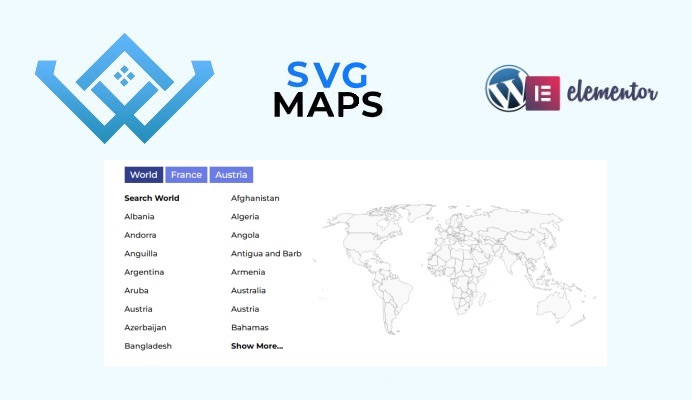
SVG Maps WordPress Directory Plugin
Few weeks ago we build WordPress plugin to show SVG Maps on your Real Estate, Classified Ads, Business Directory or any other directory website.
You can import needed maps. Plugin support multiple maps at same time, submaps search links and more popular features.
WP Directory Kit plugin is required to use SVG maps on your WordPress Directory website.
Link to plugin: https://wpdirectorykit.com/plugins/wp-directory-svg-map.html
(more…)How to modify profile cards design in Directory portal
In Directory portal when using Membership features we usually show members in list, or in profile and more places. In this guides I wil lshow you few examples how to modify specific styles on design.
(more…)How to add Tabs on Search form?
You can edit search element in elementor and select which field you wish to use for tabs, Usually that’s “#5 Purpose” field in our Directory Kit Solution Demo Content.
(more…)How to reset your WordPress Directory website?
In some cases if you make a mess on website and want to reset it to our nicely organized demo, you can do that by using plugin wp reset, and after that install one of our themes like real estate nexproperty and import demo content.
We prepared video guide for this here:
(more…)Mortgage Calculator on Real Estate or Car Dealership WP Theme
This instructions are for WP Directory kit Plugin.
- Please purchase addon here: https://www.wpdirectorykit.com/plugins/wp-directory-mortgage-loan-calculator.html
- Install and activate plugin in WordPress
- Open listing preview page and edit in elementor
- Add mortgage calculator element to wanted position
For more details read more
(more…)